A video editor that
does the first cut.
Pick clips from your camera roll, pick a recipe, and get a rough edit — trims, pacing, order. Change whatever you want, then export.
iPhone · iOS 26 · Everything runs on-device
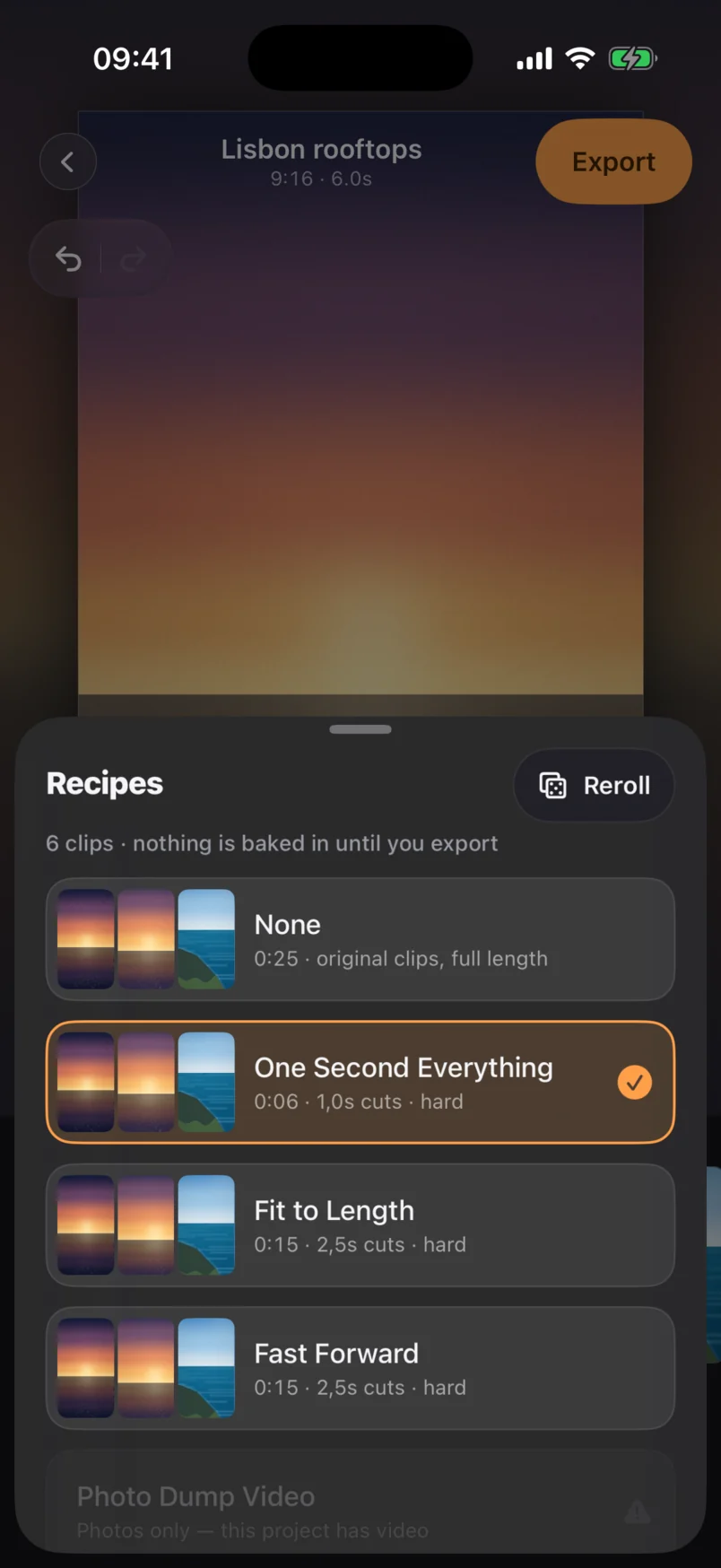
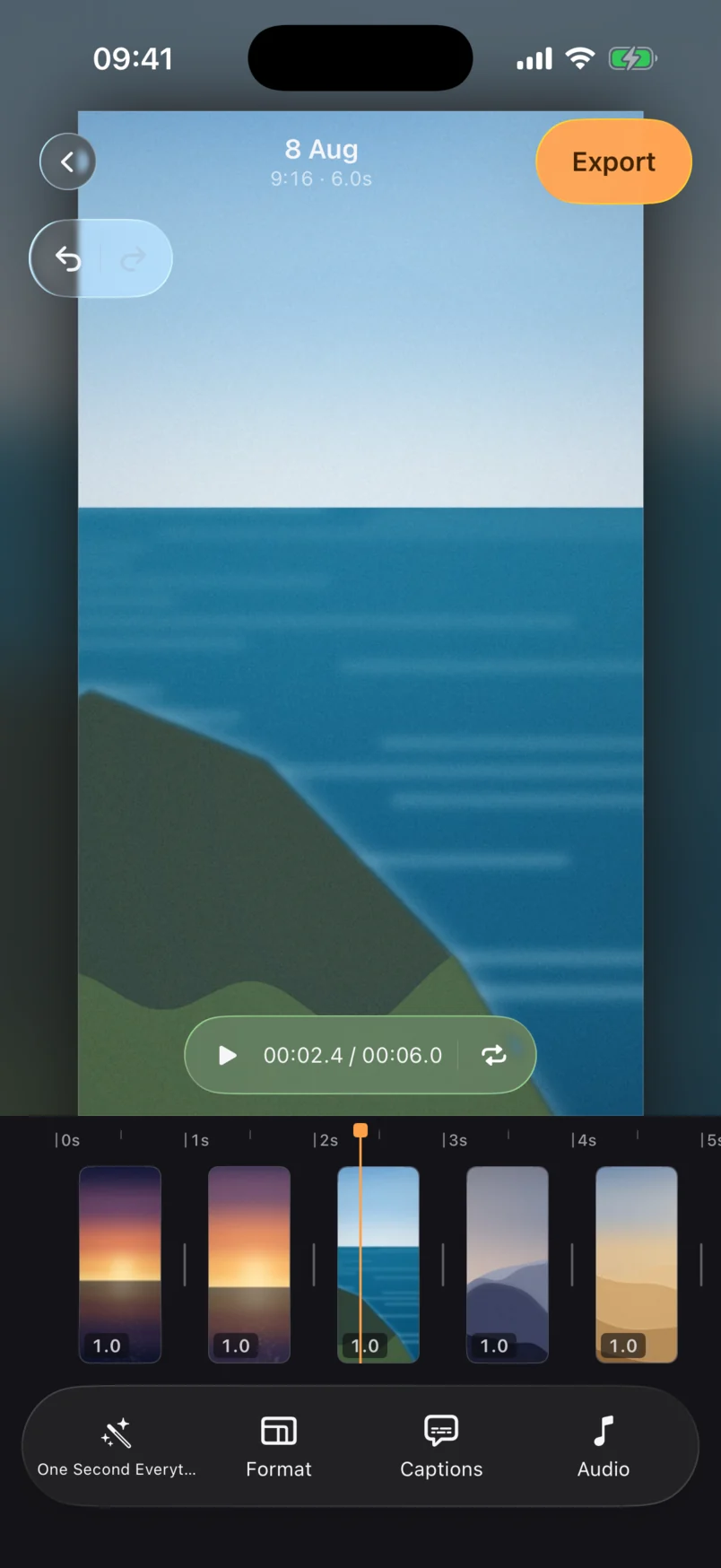
Then change your mind about any of it
A recipe is a starting point, not a lock. Everything it wrote is an ordinary edit value you can drag, retime or delete — and the clip strip is the whole timeline.
Tap to select, drag to reorder, pull the handles to trim. Your original files in Photos are never modified.
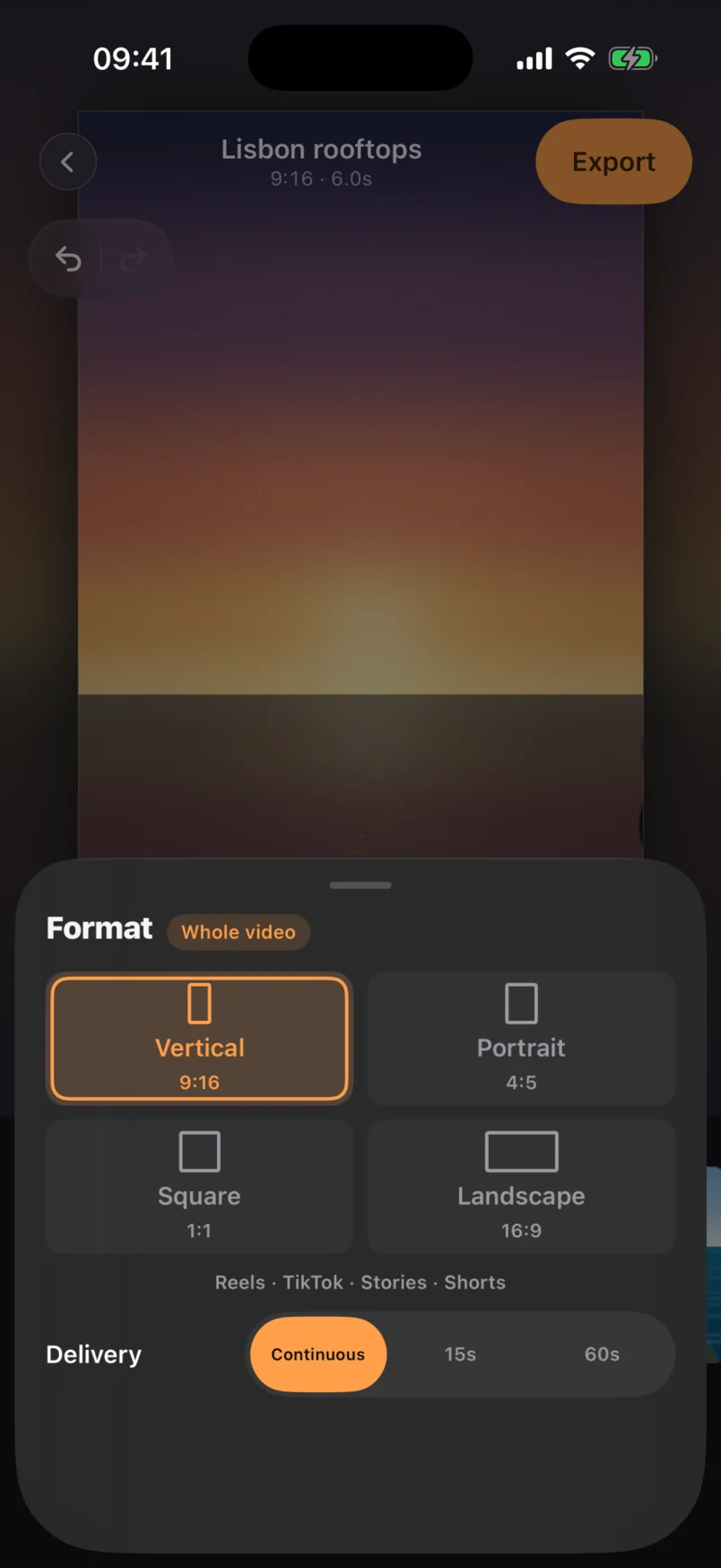
One project, four formats
Switching format re-letterboxes the same edit for a different platform — no separate project needed. Delivery decides whether it exports as one file or as Story-sized parts.
9:16 — Reels, TikTok, Stories, Shorts.
4:5 — the tallest crop the feed allows.
1:1 — feed posts that work anywhere.
16:9 — YouTube and everything horizontal.
Delivery: continuous for a single file, or 15s / 60s to split a long edit into numbered Story parts.
Sound and export
Bring a track, pick a cover frame, and see the file size before you export.
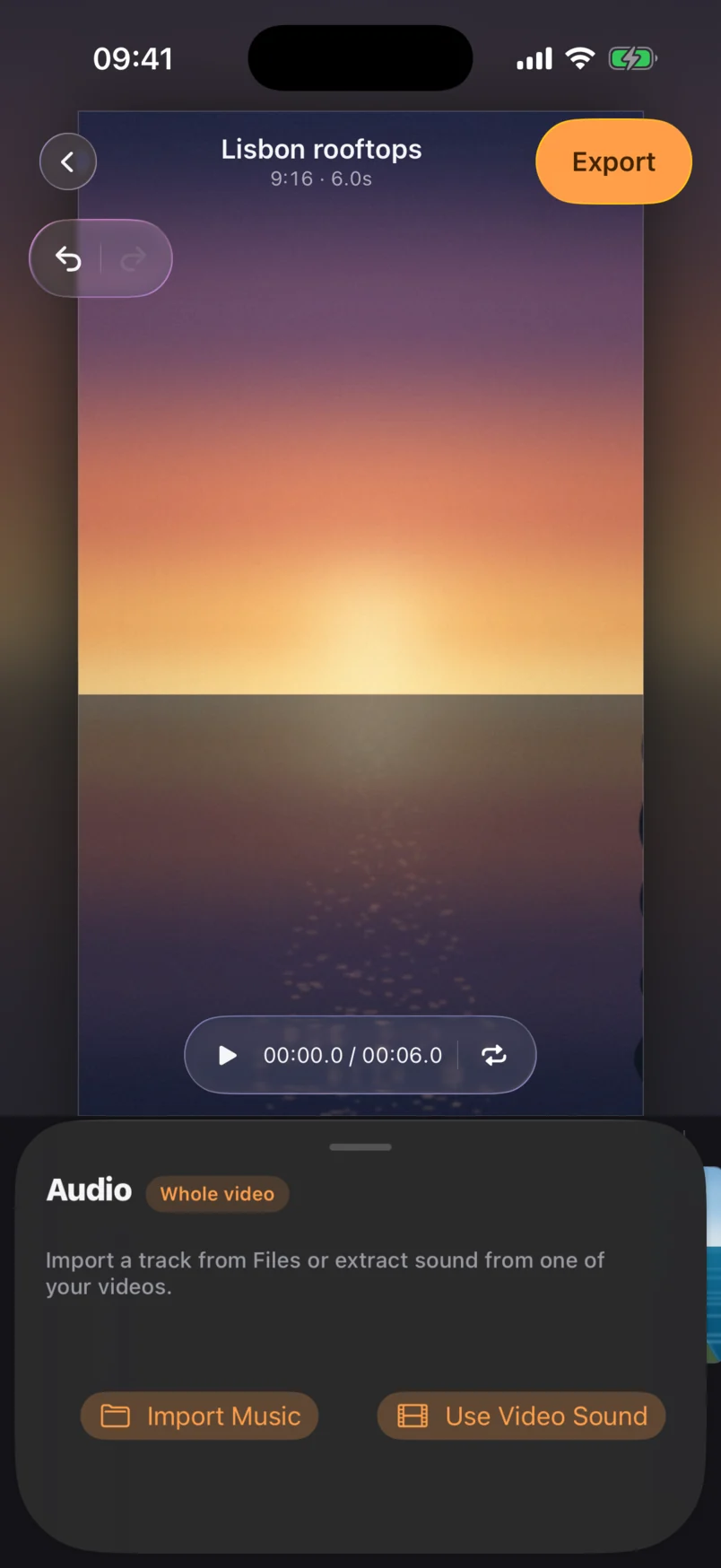
Bring your own sound
Import a track from Files, or lift the audio straight off another video in your roll. Beat Cut reads onsets from whichever you pick and puts your cuts on them.
There's no licensed music catalogue — you bring the audio.
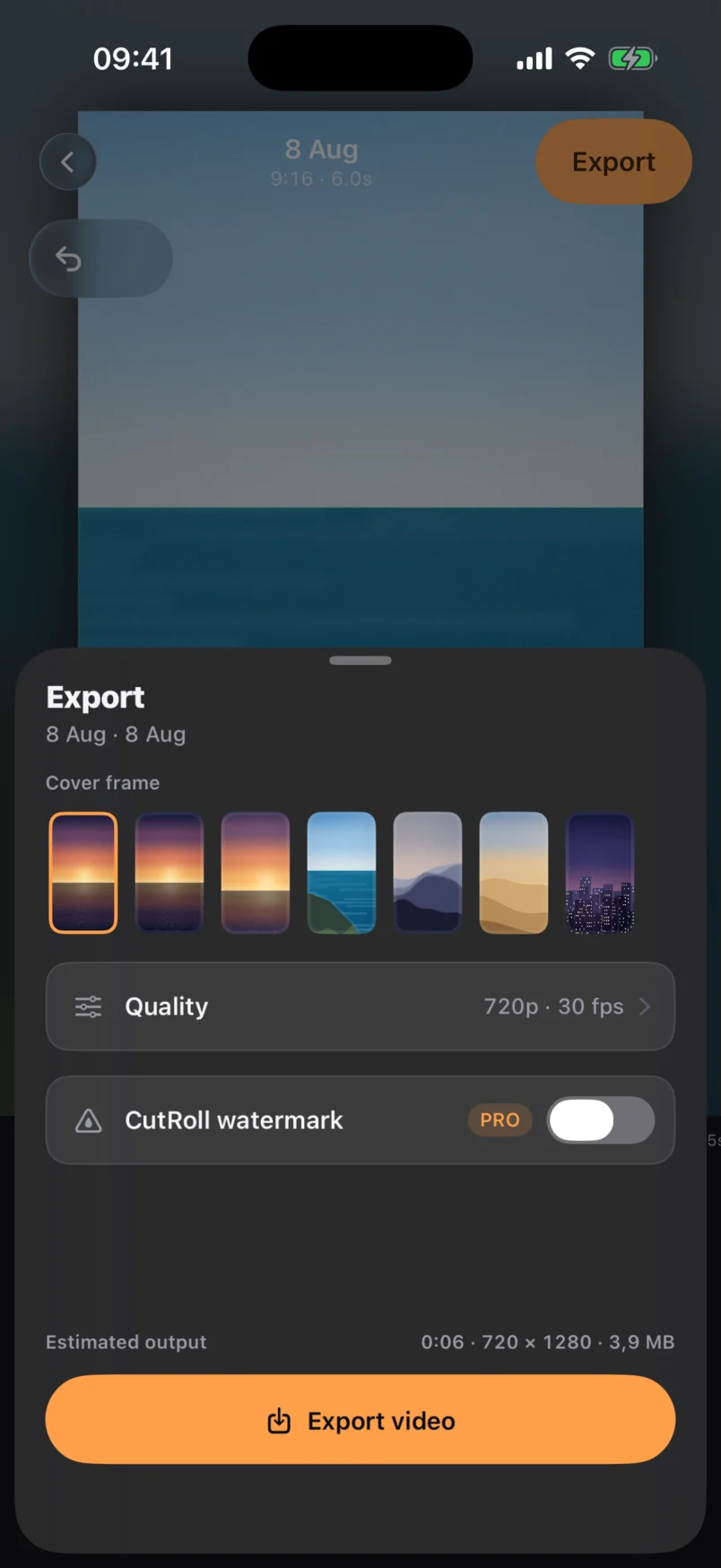
Export to Photos
Pick the cover frame from your own clips, see the estimated file size before you commit, and send it to Photos and the share sheet.
Cover, quality and watermark all live on one sheet.
Every cut you've made, still editable
Projects keep their clips, their recipe and their format. Reopen one a week later, switch it from Reel to Square, and export it again for a different platform.
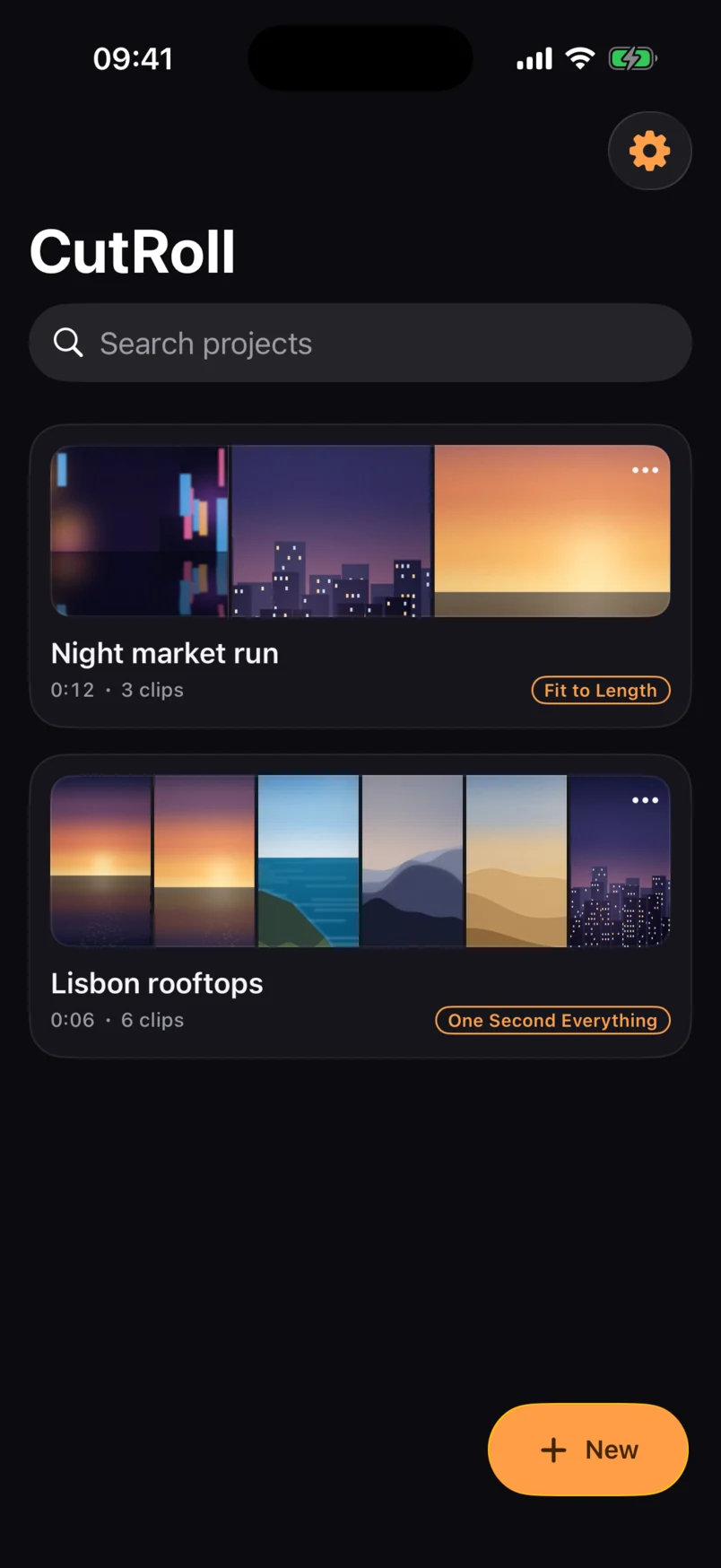
How it works
Three steps between your camera roll and a finished post.
Pick your clips
Multi-select videos and photos from your library. CutRoll only sees the items you pick.
Pick a recipe
Each card shows the length it will produce before you tap it. Don't like the result? Reroll, or pick another.
Export and post
Saves to your Photos library, then hands off to the share sheet for Instagram, TikTok or anywhere else.
Free to use. Pro to polish.
The free tier is a real editor, not a demo. Pro removes the watermark, unlocks the higher-quality exports, and opens the thirteen Pro recipes.
- Unlimited projects and clips
- Eight edit recipes
- All four formats and the full editor
- Titles, caption styles and your own music
- 720p export with a CutRoll watermark
- Everything in Free
- All twenty-one recipes
- No watermark
- 1080p and 4K export
- Story part batch export
Billed through the App Store. Cancel from your Apple subscriptions at any time — there is no account to close, because there is no account.
Frequently asked questions
A cutting style with the decisions pre-made. Tapping one writes ordinary trims, speeds, reorderings and transitions across your clips — the same values you could set by hand. It never locks anything, and switching recipes re-cuts from your originals rather than stacking edits on top of each other.
No. Every step — import, cutting, rendering and export — runs on your iPhone using Apple's media frameworks. There is no server behind CutRoll, no account to create, and the app works fully offline. The privacy policy lists the only two things that ever leave the device.
Yes. Tap Generate Captions and CutRoll transcribes your clips on the phone itself — no audio leaves the device — into a word-timed transcript you can edit, merge, split and retime. Six caption styles ship, from Clean to Karaoke word-highlight, and they render identically in the preview and the export.
The full editor, all four formats, unlimited projects, your own music, and eight recipes — including One Second Everything, Fit to Length, Fast Forward and Photo Dump. Free exports at 720p with a small CutRoll watermark. Pro removes the watermark, adds 1080p and 4K, and unlocks the other thirteen recipes.
No, and that's deliberate. CutRoll exports to your Photos library and hands off through the standard iOS share sheet. Automated posting requires private APIs that break constantly and put your account at risk.
Yes. Rotation metadata is normalised so landscape footage never lands sideways, and mismatched aspect ratios get blur-fill rather than black bars. Slow-mo imports at its recorded speed, and photos become short clips with a gentle zoom.
An iPhone running iOS 26 or later. CutRoll is iPhone-only — there is no iPad-optimised layout and no Android version planned.
Try it on your own clips
Free to download, no account. If the recipes fit the way you shoot, Pro unlocks the rest.
Coming soon to the App Store. Email cutroll@justinpolidori.it to join the TestFlight beta.